 HIRO Developer Portal
action(capability: "ClassifierPredict", classifier_name: "swedish", input_string: InputString, timeout: 3000)Table of Contents
HIRO Desktop Ticket Classifier
About the Ticket Classifier
The Ticket Classifier is an application for data scientist that allows the management of classifiers. A classifier takes uncategorized data and predicts a category from any given input String. In order for a classifier to work, they must be trained first, which happens when you upload training data.
Getting access to the application
In order to access the HIRO Desktop application Ticket Classifier, a user must be assigned to the correct team. If the classifier is enabled for your instance, you will find a team called haasXXXX_ticket_classifier in id.almato.ai. Your organisation admin will be able to add you to this team.
Upload Training Data
As described in detail in the section below, the csv file must consist of a list of descriptions and categories. If the csv file doesnt match the required format, the the ticket classifier application will notifiy you. If successfull, a new classifier is immediately being trained. Depending on the size of the classifier, it may take a few minutes for the training to be complete. Only trained classifiers can be used to predict the category.
The name of the trainingdata is used in the Knowledge Item to reference the classifier
Creating a new version of an existing classifer
In case you want to create a new version of an existing classifier (because you want to add more samples to your training data) simply add content to your existing file and and upload it (keep the filename). The new version will automatically be set as the active one. Active means that this version will be used by the Knowledge Items that have reference this classifier_name. Each classifier can only ever have one active version. However you can choose which version you want to activate by using the toggle button.
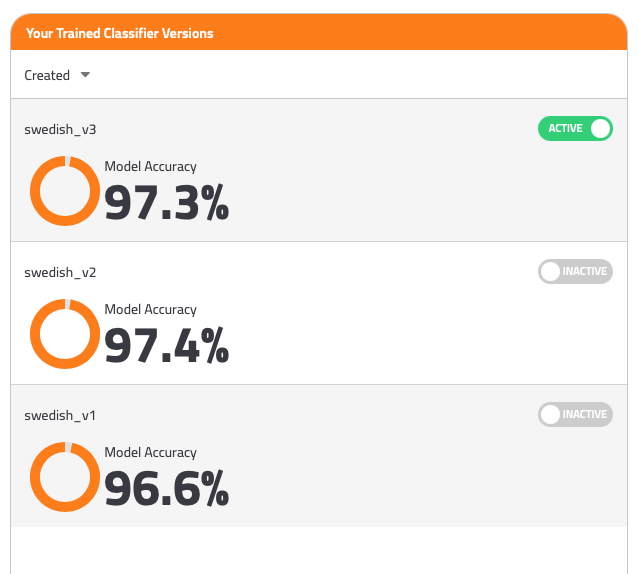
Classifier Details
A trained classifier provides you with the following information
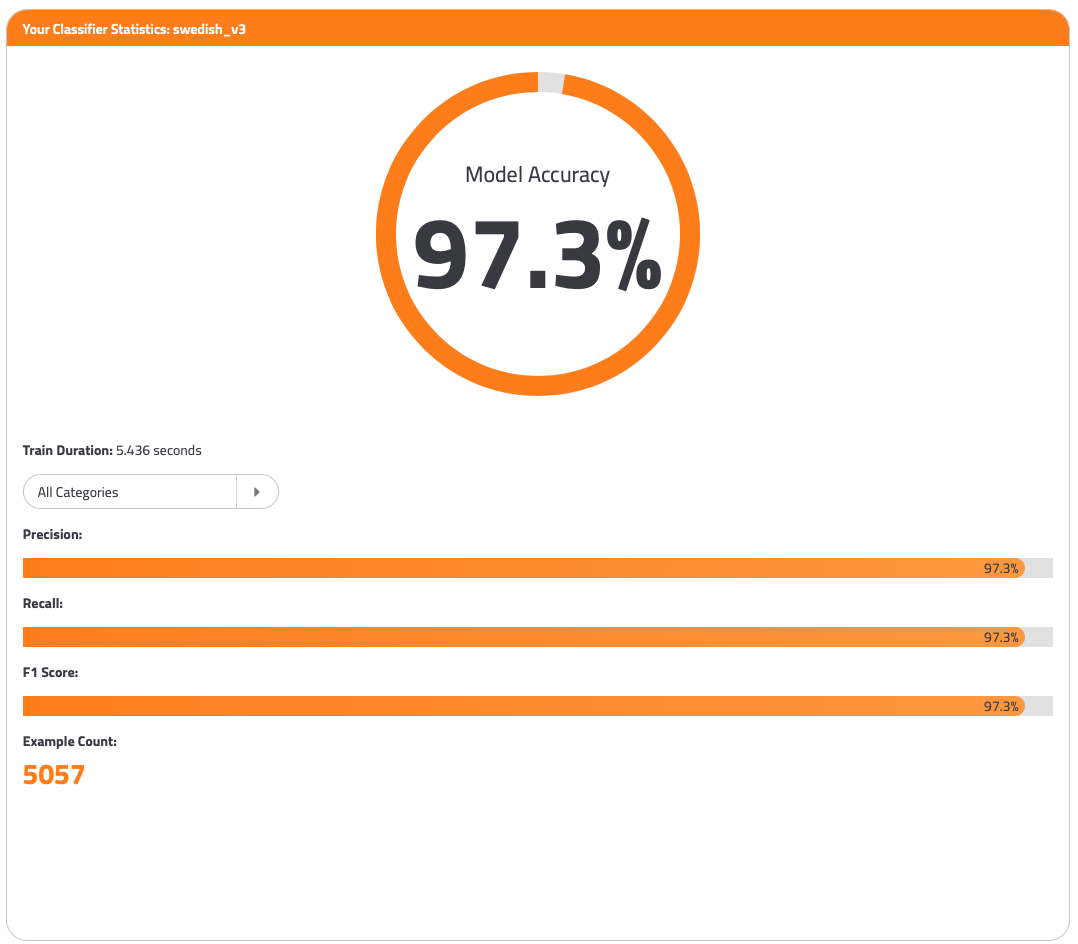
Model Accuracy:
Download: Ability to download the training data (as csv)
Duration: How long it took to train the model
Dropdown for each category from the trainingdata including one entry for all categories
Precision: The higher the precision, the less false positives. Recall: The higher the recall, the less false negatives. F1 Score: F1 Score is a weighed average between precision and recall.